The "KanbanBOX Performance" dashboard shows the trend of KanbanBOX license usage and the status of the kanban system implementation within the company.
The dashboard is divided into multiple sections:
1. KanbanBOX implementation
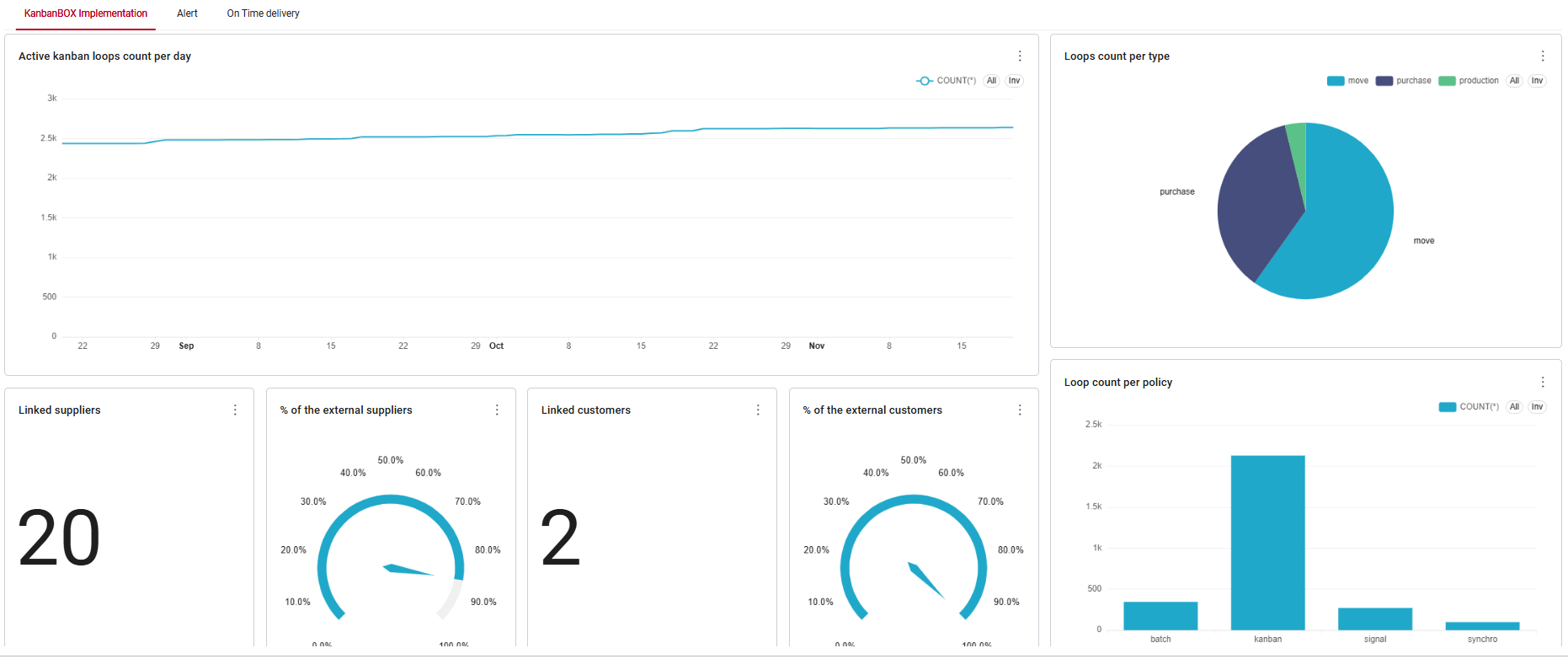
- Active loops count per day: shows the daily trend of the total number of active loops within the KanbanBOX license. A loop is considered active if at least one card belonging to that loop is in a different status than "New".
- Loops count per type: shows the breakdown of kanban loops by type (purchase, production, move, sale and activity), indicating their number and percentage relative to the total number of kanban loops.
- Linked suppliers: total number of linked external suppliers.
- % of the external suppliers: percentage of linked external suppliers relative to the total number of external suppliers in the license.
- Linked customers: total number of linked external customers.
- % of the external customers: percentage of linked external customers relative to the total number of external customers in the license.
- Loops count per policy: shows the number of kanban loops broken down by management policy (kanban, batch kanban, synchro, signal).
2. Alert
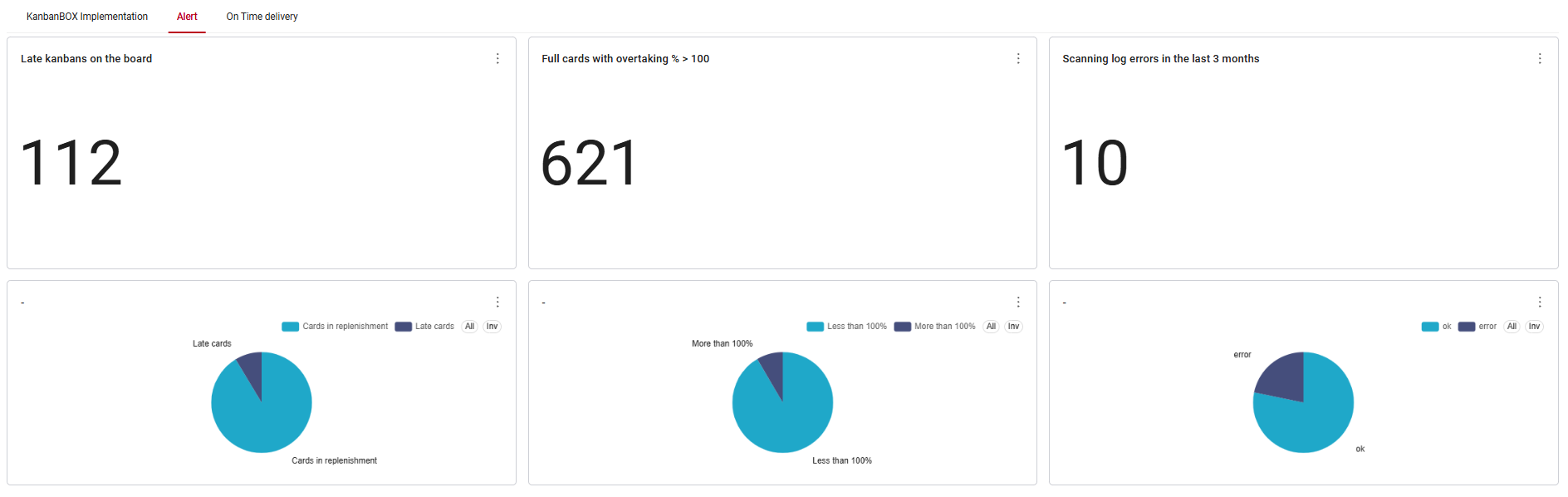
- Late kanbans on the board: total number of cards that are late because they are not "Full" by the required date. Below this data, there is a pie chart showing the number and percentage of late cards and punctual replenishing cards (in a different status than "Full").
- Full cards with overtaking % > 100: total number of cards in "Full" status that have an overtaking percentage greater than 100% in the FIFO report. Below this data, there is a pie chart showing the number and percentage of full cards that have an overtaking percentage greater than 100% and full cards with an overtaking percentage less than 100%.
- Scanning log errors in the last 3 months: total number of incorrect scans in the last 3 months. Below this data, there is a pie chart showing the number and percentage of incorrect scans and correctly executed scans.
3. On time delivery
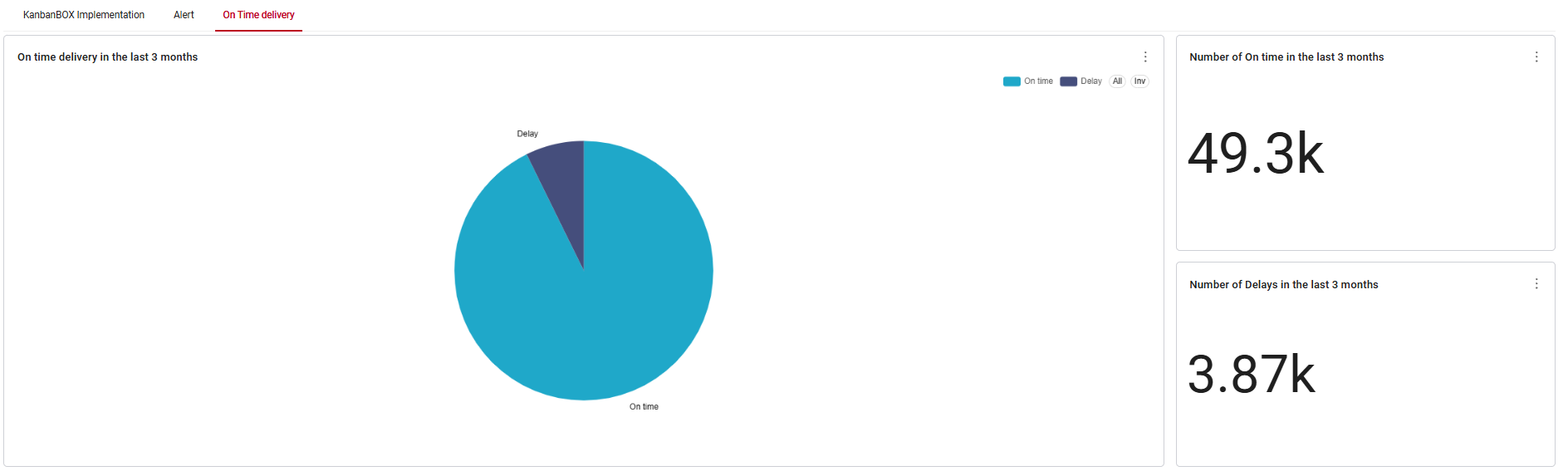
- On time delivery in the last 3 months: number of cards delivered on time or with delay. In KanbanBOX, "delivery" means declaring a card as "Full". A declaration of "Full" is on time when it occurs by the replenishment date or the confirmed date, depending on whether it is filled in or not.
- Number of On time in the last 3 months: number of cards delivered on time in the last 3 months.
- Number of delays in the last 3 months: number of cards delivered with a delay in the last 3 months.
All charts contained within this dashboard are not filtered, while the charts referring to a time frame are created using data from the last three months.
Comments
0 comments
Article is closed for comments.