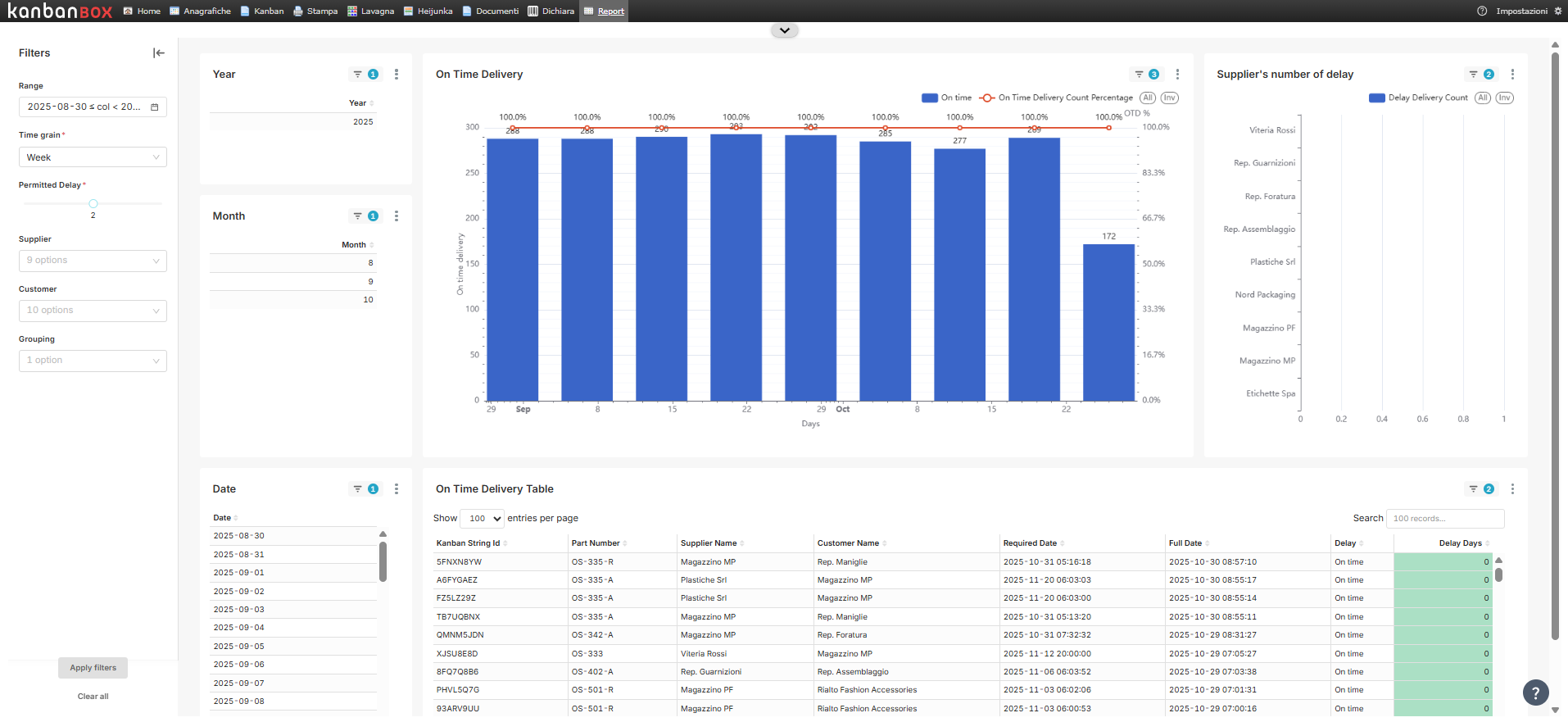
The On Time Delivery dashboard shows the degree of punctuality of deliveries in KanbanBOX, i.e., the quantity of delayed deliveries and the quantity of on time deliveries that have been registered over a given period.
In KanbanBOX, a "delivery" is understood to be the declaration of a card in "Full" status.
A status change to "Full" is On Time when it occurs no later than the replenishment date (or the confirmed date, if filled in).
The dashboard is divided into 3 charts:
-
On Time Delivery: indicates how many deliveries were made on time or with delay over a specific period of time (selectable via the filter). Each column of the chart contains a blue part (number of on time deliveries) and a red part (number of deliveries with delay). A yellow broken line shows the on time percentage in each grouping of the analysis period.
-
Supplier’s number of delay: indicates the ranking of suppliers who have performed the most late deliveries during the analysis period. The chart is an indicator of the number of delays registered for each supplier. Suppliers are ordered by decreasing number of delays.
-
On Time Delivery Table: detail table for the charts above. Each row corresponds to a kanban card set as "Full" during the analysis period, and more information is provided for each one.
For more information about the dashboard filters, see the article Introduction to Kanban BI.
Comments
0 comments
Please sign in to leave a comment.